
When you collect a POAP by reserving it to your email, you have two ways to complete the process of minting the POAP on the blockchain:
- Add your existing Ethereum wallet address, or
- Create a new wallet through POAP
If you don’t have a wallet, POAP helps you make one by allowing you to choose a nickname (like yourname.onpoap.eth). This article explains the process of creating your POAP account when you collect your first POAP - setting up your new wallet and nickname in one simple flow.
Steps to Create a POAP Account:
Reserve your POAP using your email address
On the “collect” page of your event, enter your email address in the “Collect this POAP” field and click "Mint now".
After submitting, you’ll see a success message: “POAP Reserved”, you will receive a confirmation email in your inbox.
If you’ve reserved a POAP in the past
Alternatively, if you have already reserved a POAP in the past, visit collectors.poap.xyz and enter your email. You will find a "Mint POAP" button. Clicking it will give you the option to send an email to your inbox to verify your ownership of the POAP or your collection.
Check your inbox
Once reserved, you’ll receive an email from POAP confirming that your POAP is ready to be minted.
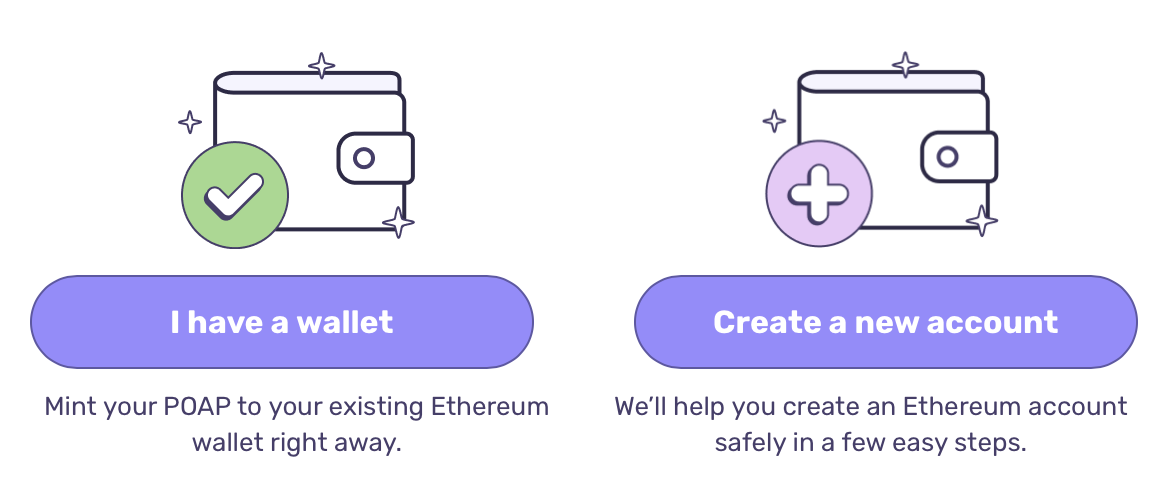
This email will display two options - choose the one that applies to you
If you already have a wallet
Click “I have a wallet” and input your ENS or Ethereum wallet address.
If you don’t have a wallet
Click “Create a new account.”
You’ll be directed to the next step to create your POAP nickname, where a new wallet will be created for you.
Create Your POAP Nickname
You’ll be directed to a page where you can create your POAP nickname.
This nickname is an ENS subdomain that points to a new wallet address created for you.
Type the nickname you want and select the subdomain you prefer (for example, yourname.onpoap.eth).
NOTE: the nickname may already be in use, if you receive an error please choose a different one.
Your POAPs are being minted
After you set your nickname, your account is created and your POAPs are minted to the blockchain.
View account info
Once minting is complete. You will be directed to a page with your POAP Account information.
You’ll also receive an email with your account information, which you can always return to later to access your profile.
If you’d like to move your POAP account to another wallet, see How to Transfer Your POAP Account to Another Wallet.
If you have any further questions or need assistance, feel free to reach out to our support team by clicking on the chat bubble in the bottom right corner of our support page.